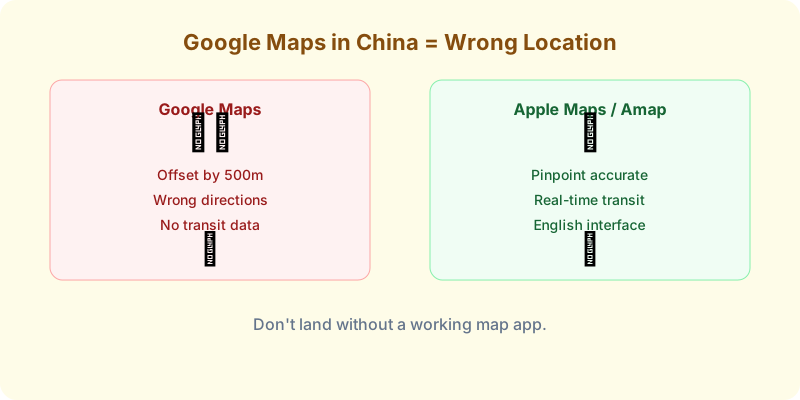
Google Maps loads in China, but it’s wrong. Streets are offset by 500 meters. Public transit directions don’t work. Walking routes send you through walls.
Here’s what to use instead.
Why Google Maps Fails in China
China uses a different coordinate system (GCJ-02) than the global standard (WGS-84). Google Maps uses WGS-84. Chinese maps use GCJ-02. The result: everything is shifted. Your hotel appears in the middle of a river. Your walking route goes through a construction site.
Bottom line: Delete the idea of using Google Maps from your brain before you land.
The 4 Alternatives, Ranked
1. Apple Maps — Best for iPhone Users 🥇
If you have an iPhone, you’re done. Apple Maps switches to Chinese map data (from Amap/Gaode) when you’re inside China. It has:
- English interface — the only map app with a full English UI based on Chinese data
- Accurate walking, driving, and transit directions
- Real-time traffic
- No VPN needed
- Built into every iPhone. No download required.
The one weird thing: pins you save outside China may shift when you arrive. Delete and re-save them after landing.
2. Amap (高德地图) — Best Overall Accuracy 🥈
Amap (Gaode Maps) is what locals use. It’s the most accurate, most feature-rich map in China.
Pros:
- Best real-time traffic data
- Best public transit routing (bus, metro, train)
- Indoor maps for malls and airports
- Voice navigation in English (limited but functional)
Cons:
- Interface is mostly Chinese. You’ll need to screenshot and translate.
- No official English version.
Workaround: Use Amap for routing, Apple Maps for the English overview. It’s the combination most experienced China travelers land on.
3. Baidu Maps (百度地图) — Decent Alternative
Baidu Maps is the second local option. Similar to Amap in accuracy but with slightly better English support in some areas.
When to use it: If Amap’s Chinese UI is too much and you don’t have an iPhone, Baidu Maps has marginally more English labels.
4. Maps.me / Organic Maps — Offline Backup
Download these before you arrive. They work offline with GPS only — no data needed. Useful as an emergency backup if your eSIM fails or you’re in an area with no signal.
Limitation: Outdated in fast-changing Chinese cities. New metro lines and roads may be missing. Use only as a last resort.
How to Search for Places
Here’s the trick most guides don’t tell you:
- Find the Chinese name of your destination before you go. Copy it from Trip.com or Google.
- Paste the Chinese characters into Amap or Apple Maps. It’ll find it instantly.
- Save/screenshot the location before you leave WiFi.
Searching in English (pinyin) works about 30% of the time in Amap. Chinese characters work 100% of the time.
Quick Decision Guide
| Your Situation | Use This |
|---|---|
| iPhone user | Apple Maps (free, built in, English) |
| Android user | Amap (most accurate, learn to screenshot-translate) |
| Need offline backup | Maps.me |
| Navigating public transit | Amap |
| Driving | Amap or Baidu Maps |
| Just walking around a city | Apple Maps |
Before you worry about maps, make sure you have internet. Compare China eSIMs → — install before departure, works without VPN.