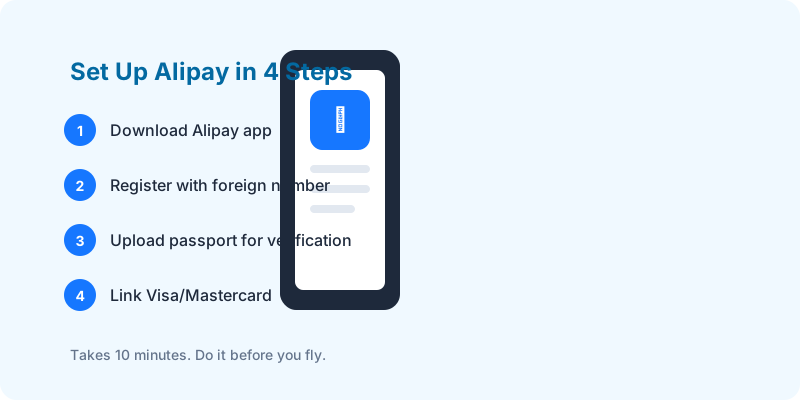
You don’t need a Chinese phone number. You don’t need a Chinese bank account. Here’s how to set everything up before your flight.
Before You Leave — 10 Minutes
Step 1: Download the Right App
Download “Alipay” (blue icon). Not “AlipayHK” — that’s for Hong Kong.
App Store / Google Play. Do this on your home WiFi.
Step 2: Register with Your Foreign Number
- Tap “Sign Up”
- Select your country code
- Enter your phone number
- Receive SMS code — make sure your phone can receive international SMS
Important: Turn OFF your VPN. Alipay sometimes blocks VPN IPs during registration.
Step 3: Verify Your Identity
- Go to Me → Settings → Account & Security → Identity Verification
- Take a photo of your passport ID page
- Do the face scan
- Usually approved within minutes
Without verification, your spending limit is ~$500 per transaction. After verification: up to $5,000.
Step 4: Add Your Card
- Me → Bank Cards → Add Card
- Supports: Visa, Mastercard, JCB, Diners Club, Discover
- Enter card details and billing address
- Your bank may send a 3D Secure confirmation code
Step 5: Test Before You Go
Ask a Chinese friend to send you 1 yuan, or try scanning a QR code online. Make sure the payment flow works.
What You Can Do with Just Alipay + Foreign Card
| Task | How |
|---|---|
| Pay at shops/restaurants | Scan merchant’s QR code |
| Ride-hail (DiDi) | Mini-program inside Alipay, no separate app needed |
| Metro/Bus | In supported cities, scan Alipay QR at gates |
| Food delivery | Ele.me mini-program — full guide |
| Buy train tickets | Mini-program, but Trip.com is easier in English |
The 3% Fee — and How to Avoid It
- Purchases under ¥200 (≈$28): No fee
- Purchases over ¥200: 3% surcharge
- Use the ¥8 SIM trick (see our Chinese phone number guide) for fee-free payments.
What If Something Goes Wrong?
Card rejected: Try another card. Try a different bank. Some banks (especially smaller US credit unions) block Alipay transactions automatically. Call your bank and whitelist “Alipay (China)”.
Identity verification failed: Re-take passport photo in better lighting. Make sure all four corners of the page are visible. Try during Chinese business hours (verification is sometimes manual).
“Service unavailable” error: You’re probably on a VPN. Disable it and retry.
Before you fly: Compare China eSIMs → — get connected before you land.
Next read: Do you need a Chinese phone number?